Operations and security
Operations and security. One system.
Review service, camera health and team decisions from the same console. Video adds context to the dashboard and the record lets you follow each action.
Operations · Shift B
Last 24 h · exampleEvents for review by camera
Alerts handled this shift
Time to attend by site (minutes)
Demonstration · Board composed with the product widgets (grid, bars and gauge); figures are examples.
What you can do
The site and the system, in view.
Combine operational activity with equipment health and access controls.
Operations dashboards
Bring activity and event indicators together to review work across sites.
Fleet health
Identify cameras and devices with problems in a shared view.
Recording monitoring
Detect missing recording periods to investigate their cause before the video is needed.
Camera roles
Assign permissions by user role and camera responsibility.
Verifiable audit
Review actions and exports through a record that enables tamper detection.
Dual authorization
Require independent review for sensitive operations covered by policy.
Service at the site
The queue needs attention too.
The dashboard gathers service indicators and lets you review related video. Queue rules are calibrated under real site conditions.
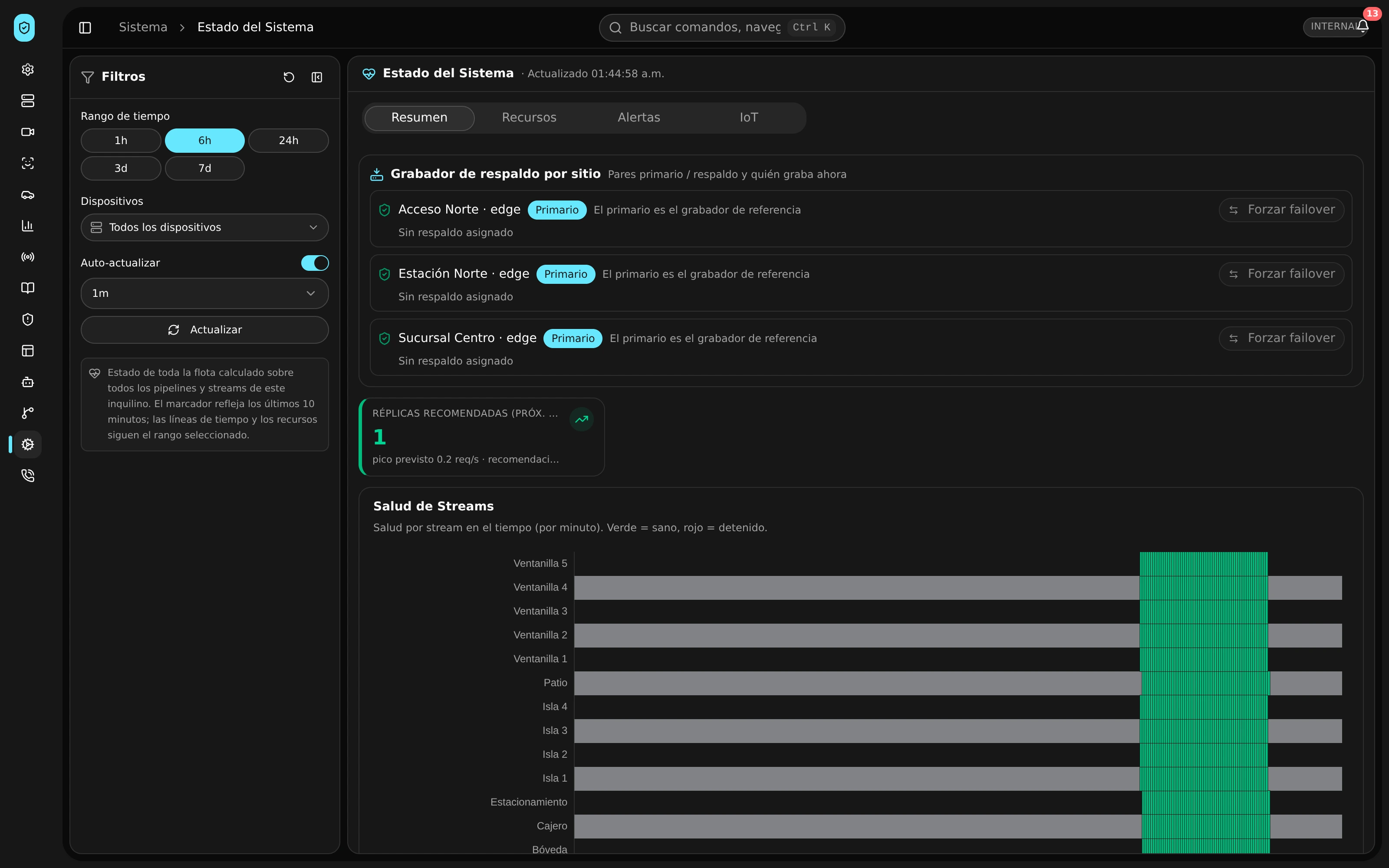
Production · Product capture with demonstration data.
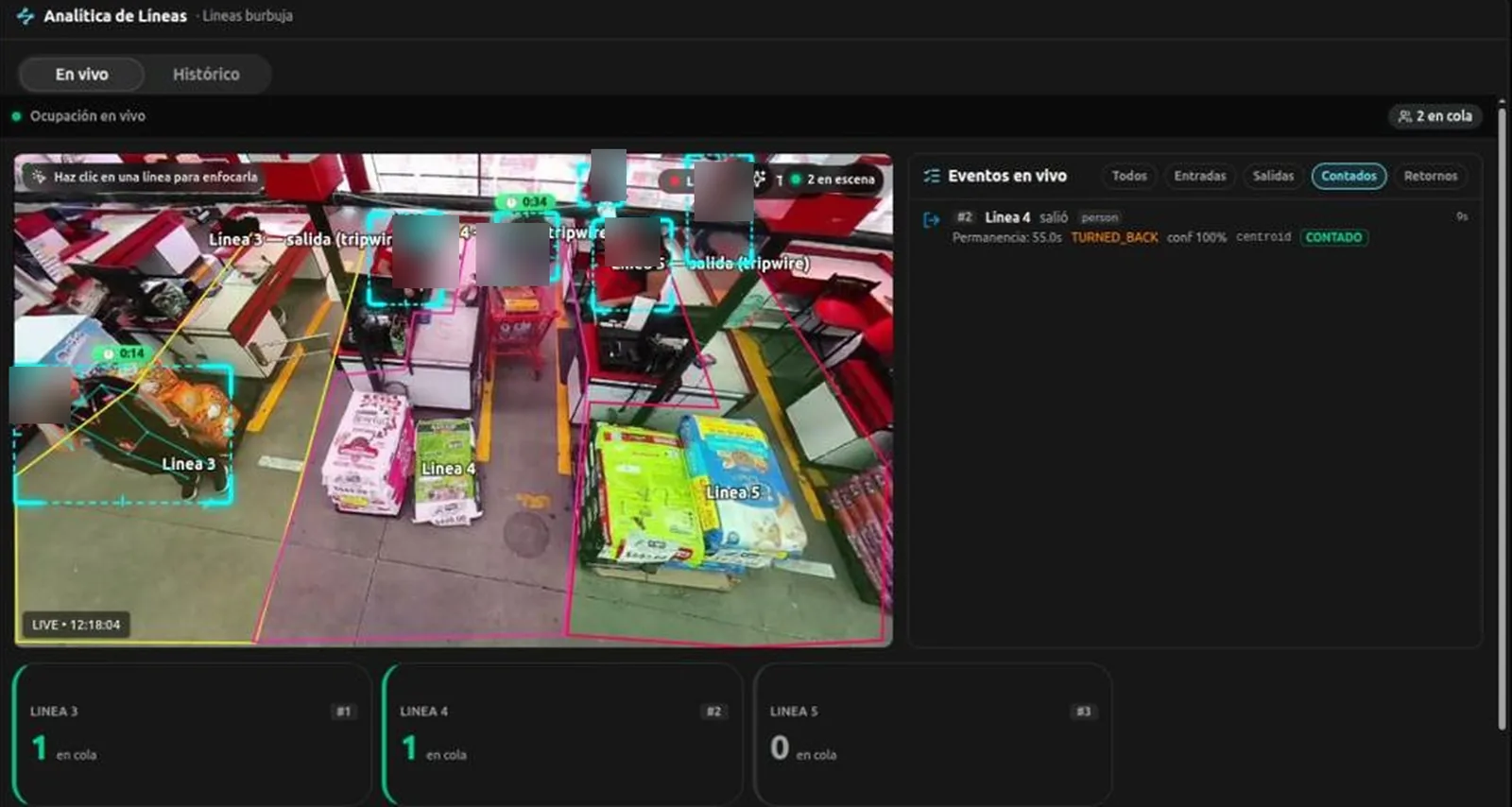
Production · Product capture with demonstration data.
What gets enabled
Scope
Access controls, device health and records form part of operational scope. Connected channels are agreed around your infrastructure.
- Operations mapIncluded
- Operations dashboardsIncluded
- Fleet healthIncluded
- Recording monitoringIncluded
- Audio monitoringIncluded
- Health incidentsIncluded
- Failure riskIncluded
- Device event logIncluded
- Maintenance schedulingIncluded
- Operational reportsIncluded
- Help deskIncluded
- Response deadlinesIncluded
- Email to ticketConnects
- Chat to ticketOptional
- Support reportsIncluded
- Knowledge baseIncluded
- Customer separationIncluded
- Camera rolesIncluded
- Stronger sign inIncluded
- Inactive account expiryIncluded
- Network access restrictionIncluded
- Central media encryptionIncluded
- Protected communicationsIncluded
- Service credentialsIncluded
- Verifiable auditIncluded
- Operator activityIncluded
- Dual authorizationIncluded
- Data rights managementIncluded
- Controls and evidenceIncluded
- Vulnerability reviewIncluded
- Analytics diagnosticsIncluded
- Clock synchronizationIncluded
- Who can view
- Assign camera roles and review each team’s access.
- What is retained
- Agree on record and media retention with your data owners.
- How to review
- Use the log to follow decisions, changes and incident handling.
Action record
Who, what, when and fingerprint.
The audit lets you follow an action from its owner to the verifiable record. The team reviews changes, exports and decisions with available context.
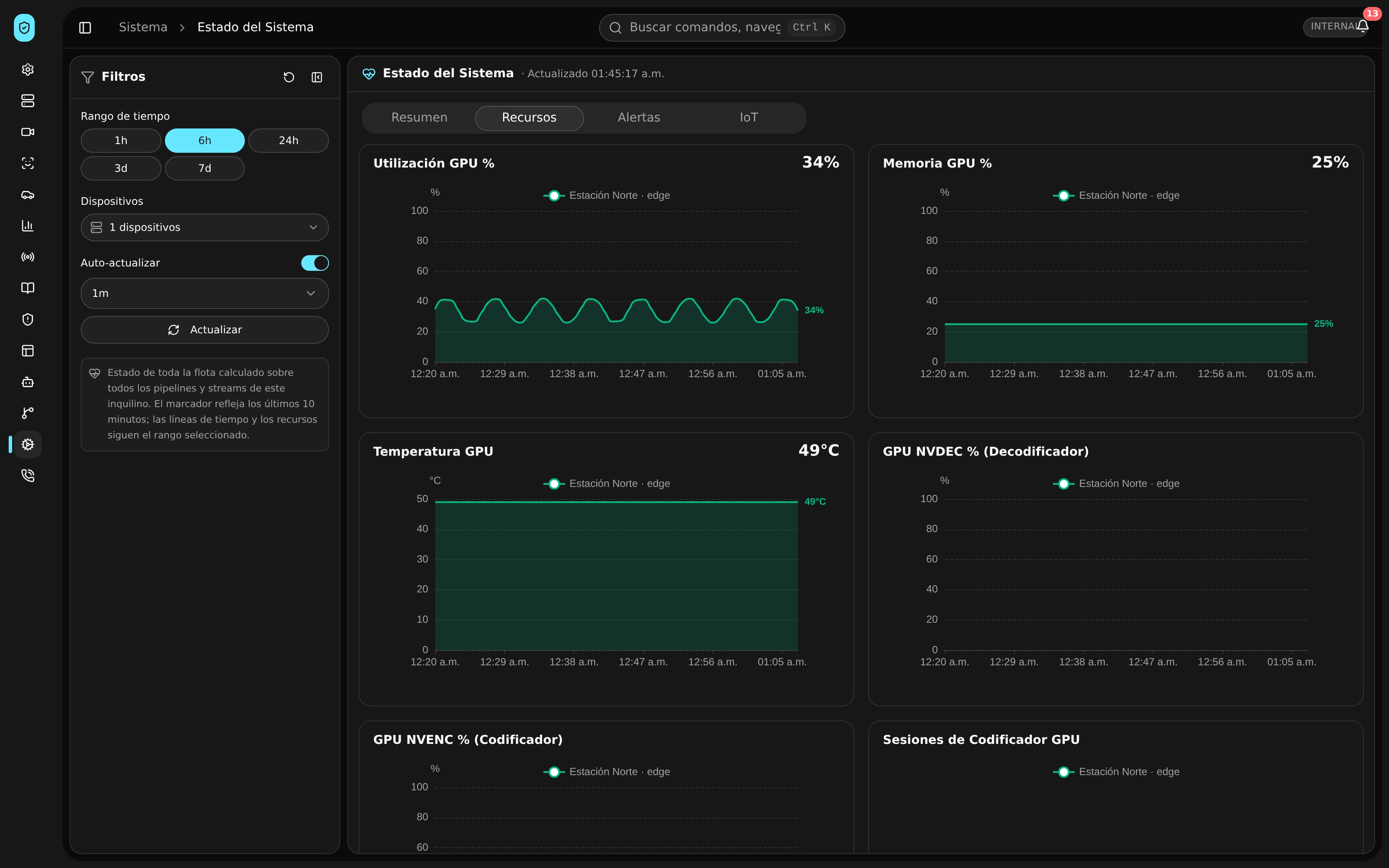
Production · Product capture with demonstration data.
Before expanding
Visibility to operate. Records to review.
- Defined roles
- Access is organized by camera and responsibility.
- Visible health
- System incidents join the same response workflow.
- Reviewable evidence
- Decisions retain who acted, when and on what.
A pilot at your site
Review a full shift with your team.
The pilot brings together activity, camera health and decision records at one of your sites.